 CDK Vehicle Dashboard
 Setups Inventory Setups
CDK Vehicle Dashboard
Setups Inventory Setups
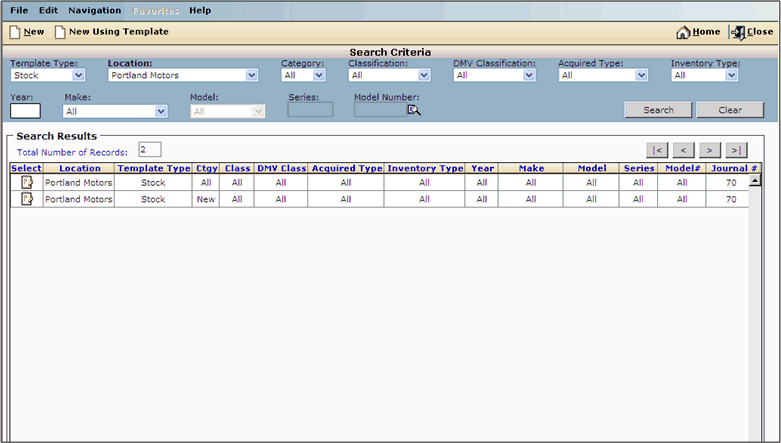
The Account Mapping main screen allows you to view current account mappings by location, category, DMV classification and other factors. You can also choose mappings to edit, or create new mappings.
Click the icon in the record's Select box to add, delete or edit existing lines in the record's account mapping template.
To create a new Account Mapping Template, see Creating a New Account Mapping Template
For information on modifying an existing template, see Modifying an Existing Template.
|
|
|
Copyright © CDK Global, LLC. 2015. All rights reserved. |
|
OHT_OV_6.0.0 |